Choose a specific ACT skill.
Find a topic, open a question, and work at your own pace.

Our ACT Practice Software brings focused topic practice and full-length tests into one student portal.
It builds a study plan around their results, test date, and goals, showing what to practice each day.
They practice questions, take full-length tests, and learn from clear explanations. Their daily tasks adjust as they improve.
1, 3, or 6 months of access
Buy now ACT Practice Software™
Self-paced online practice for ACT English, Reading, Math, and Science, all in one place.
The software works on its own. You can also add a Crash Course for strategy instruction or tutoring for individual help. Both are optional and cost extra.
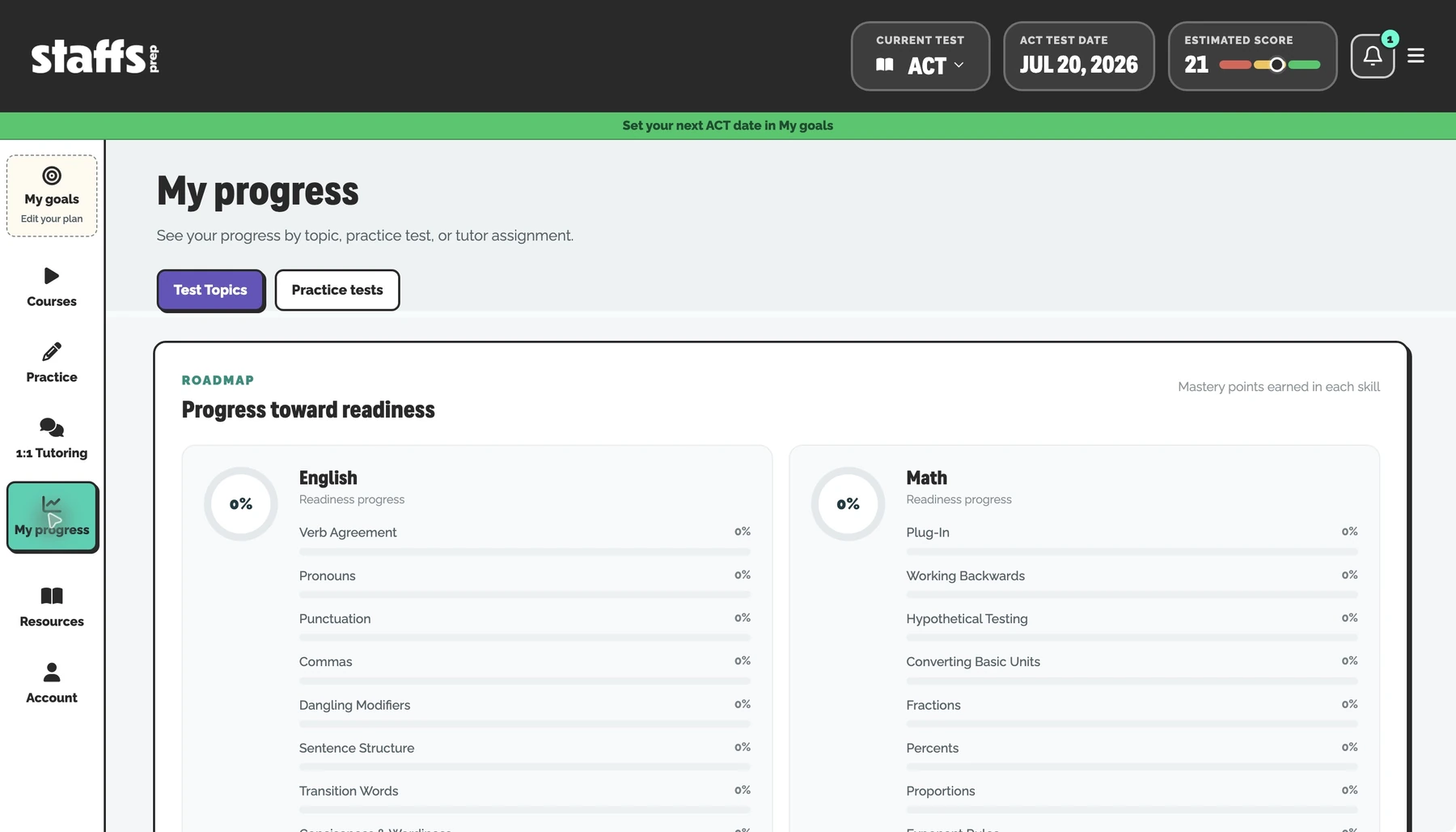
Work on specific ACT skills, use the built-in tools, and check progress with full-length tests.
Find a topic, open a question, and work at your own pace.
Graph equations or use scientific calculations without leaving practice.
Choose your time allowance, then work in a focused test workspace.
Short, captioned tours made from the current software screens. Use the video’s full-screen control for a closer look.
Knowing what needs work is only the start. Some skills appear far more often on the test, and some are much quicker to learn.
We call this Frequency + Ease. It helps the software choose which of your student’s weak spots to tackle first.
See how we choose what to study firstAs your student improves, the plan shows them what to work on next.
Full-length tests let your student practice the questions and timing before test day. Their results help the software choose what they should study next.
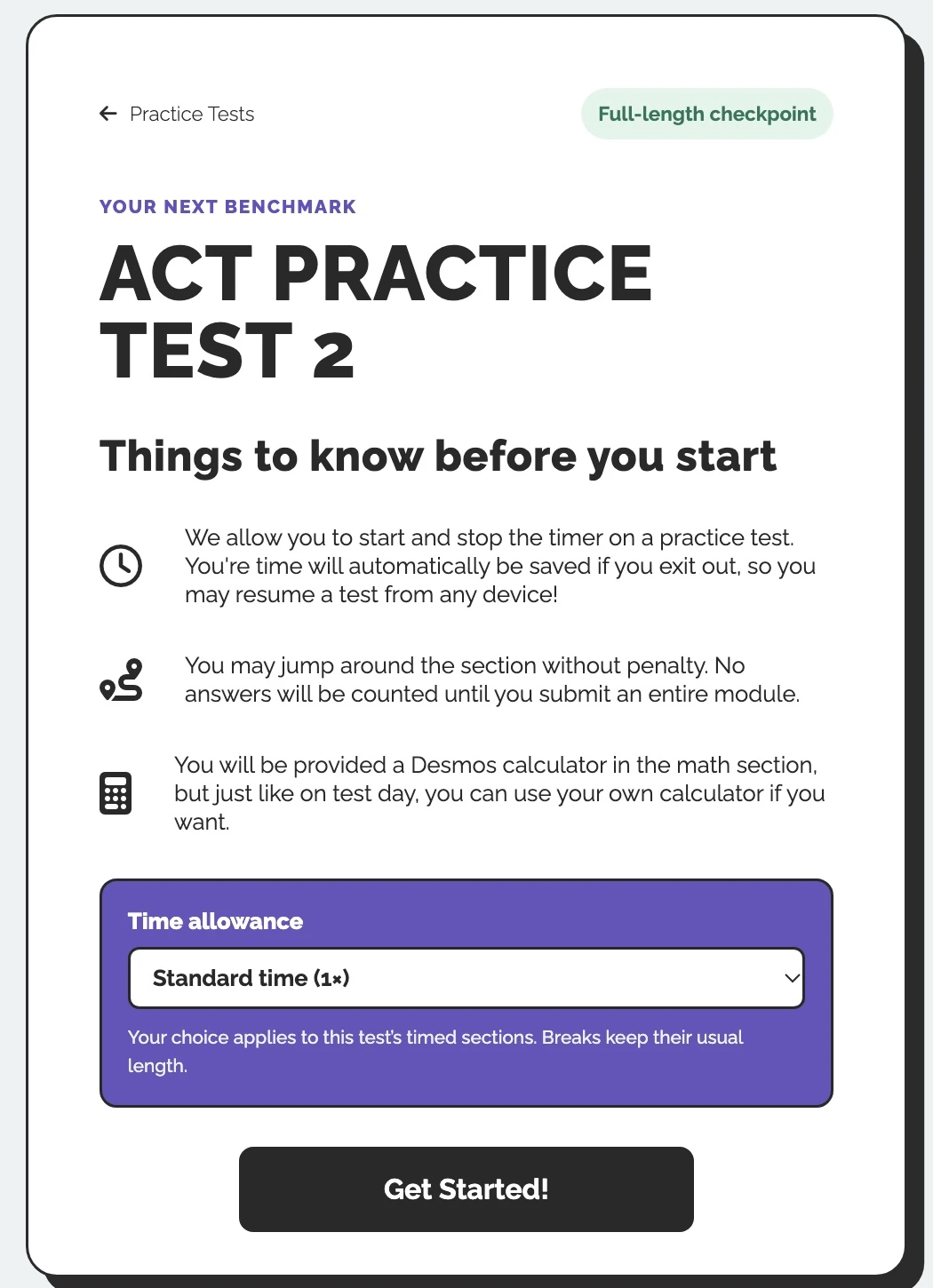
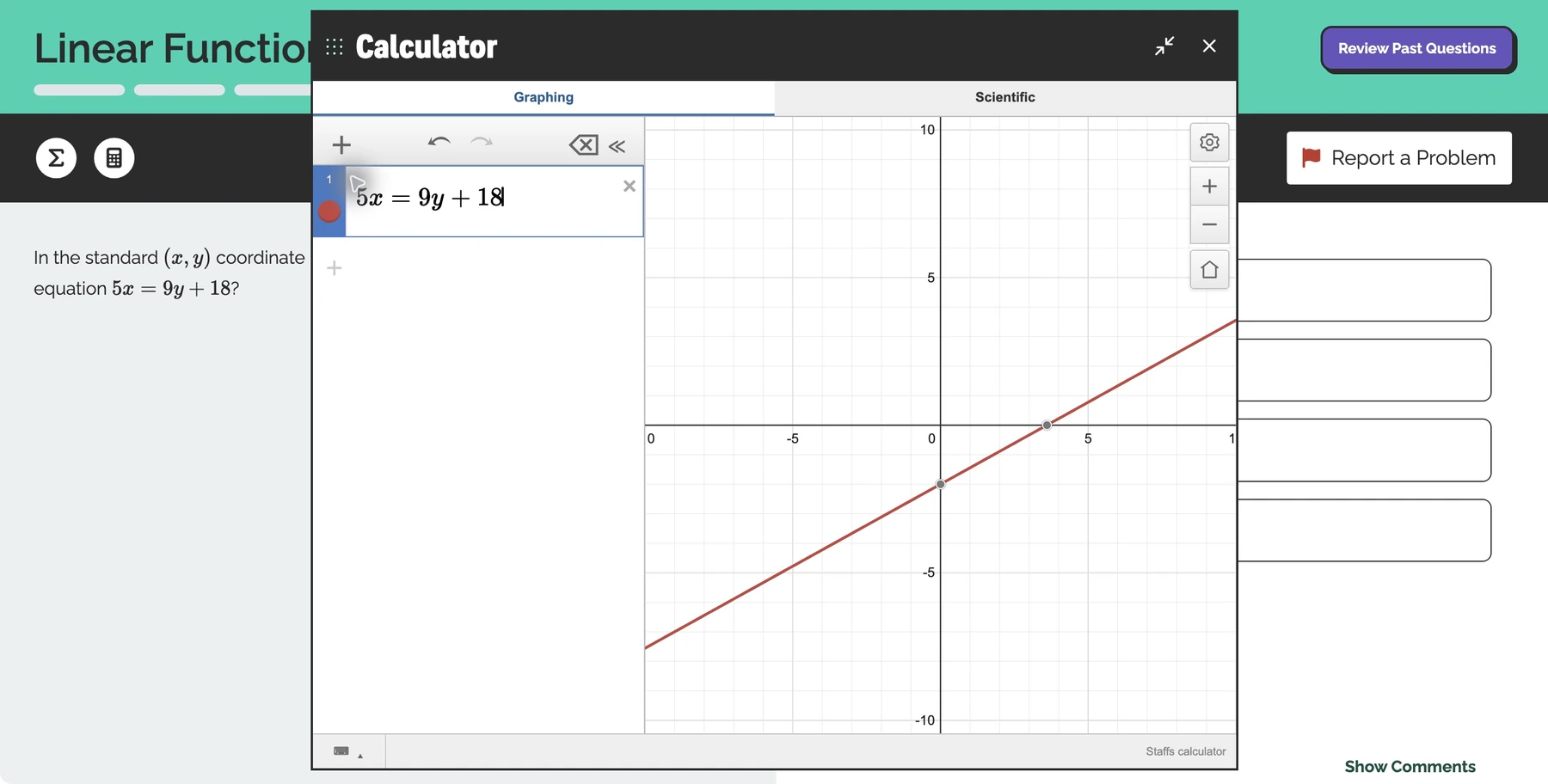
Current test setup and practice tools shown. Select an image to enlarge it.
Available with 3 or 6 months of software access.
Your starting score determines your guaranteed increase. You must complete the required practice and submit official scores. The 1-month software plan does not include this guarantee. See the score limits, practice requirements, and money-back details.
This is a recommended starting range. If your student scores outside it, ask us which prep option fits their goals.
Browse Google reviews ↗Visit Staffs Prep on Facebook ↗

“I enjoyed the in-depth explanations and strategies. I also really liked the study tips.”

“Explains everything clearly and thoroughly.”

“I feel so much more prepared and confident!”

“Really thorough explanations and easy to understand.”

“Very very helpful, easy to follow along, answers all the questions.”

“Gave lots of tips and I definitely feel more prepared now!”

“Direct tips on how to narrow down questions to a single answer.”

“Good use of time and money well spent.”

“Very helpful, and gives different tips than other websites and online tutors.”

“These are the people for the job.”

“I feel much more prepared for my test after learning all of the strategies.”

“It makes it easier to answer the questions with all of the tips and tricks.”

“My son learned quite a bit. Definitely worth it.”

“Great at teaching test taking strategy.”

“Outstanding and so informative.”

“Very helpful! Takes extra time to explain in depth and detail.”
Choose your access length, then complete your purchase right here.
Review your order and complete payment securely without leaving Staffs Prep.
No. The software works on its own. A Crash Course adds strategy instruction, and tutoring adds individual help. Both are optional and cost extra.
They set their test date and goals, then open their practice plan or choose an ACT topic. Full-length tests help them check their progress.
Students can begin practicing without an official score. An official starting score is a separate requirement for the Software Score Guarantee. See the guarantee requirements.
Daily tasks depend on their results, test date, goals, and progress. There is no single time commitment for every student. The screenshots show an example account; each student’s tasks and study time will differ.
The plan adjusts to the time left before test day and shows what to work on next. Regular practice and reviewing missed questions still matter.
Choose 1 month for a student testing soon, 3 months for ongoing preparation, or 6 months for an earlier start or multiple test dates. Every option includes the same software tools. Choose enough time to cover their preparation.
The Software Score Guarantee is available with 3 or 6 months of access. The 1-month software plan does not qualify. Starting-score limits, required practice, and official score submissions apply. Read the full requirements and money-back details.
No. Each option is a one-time payment for the access length you choose. There is no automatic renewal.